
6 September 2025

The Mac App Store is the go-to platform for downloading apps, updating software, and keeping your Mac running smoothly. However, sometimes users face an annoying issue: the App Store simply refuses to open. If you’re stuck with this problem, don’t worry—you’re not alone. Many Mac users experience this issue from time to time, and it can usually be fixed with some simple troubleshooting steps.
In this blog, we’ll walk you through easy methods to fix the Mac App Store not opening. Follow these steps carefully, and your App Store should be back to normal in no time.
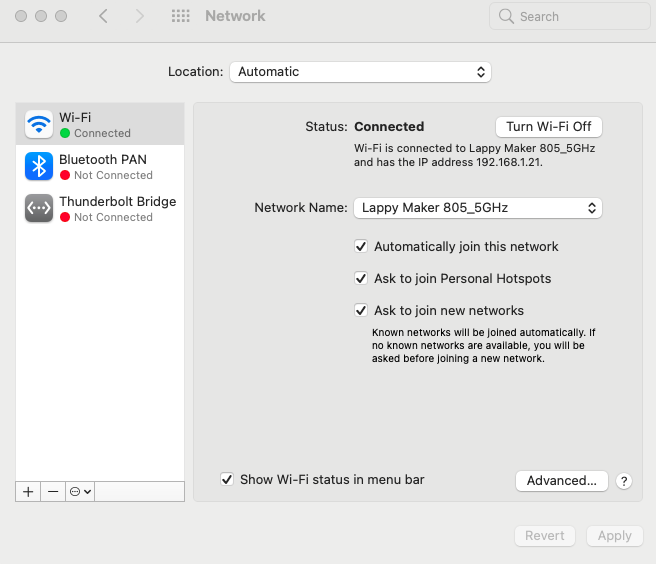
Before diving into technical solutions, let’s start with the basics. The Mac App Store relies on a stable internet connection to load content and connect with Apple’s servers.
Sometimes, simply restarting your Wi-Fi router or reconnecting to your network can resolve the issue. If your internet is fine but the App Store still won’t open, move to the next step.
Outdated macOS versions can cause compatibility issues with the App Store. Apple regularly releases updates to fix bugs, improve security, and enhance app performance.
Here’s what to do:
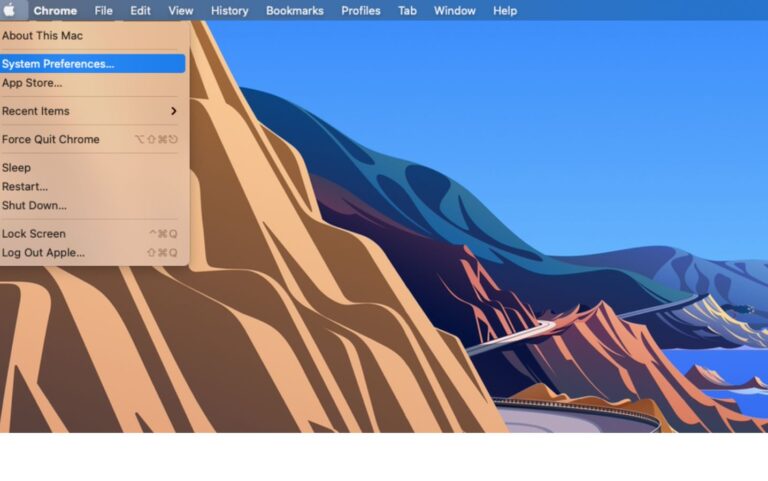
2. Then select the Preference option
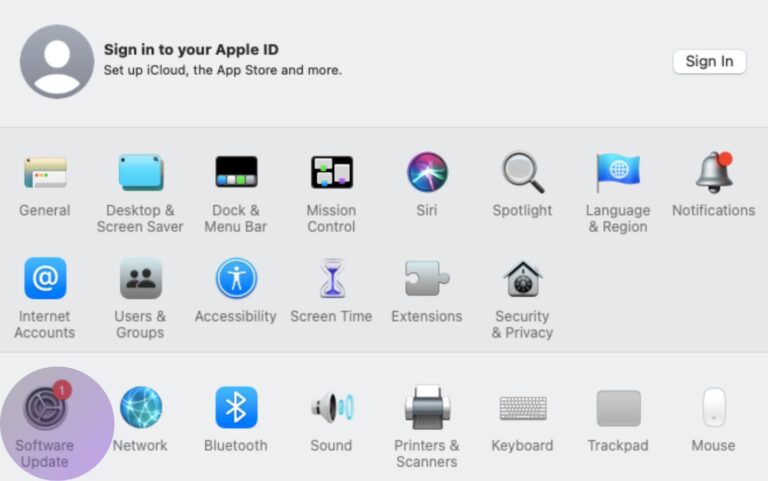
3. Then choose the software update
4. Last click now and sit back and relax
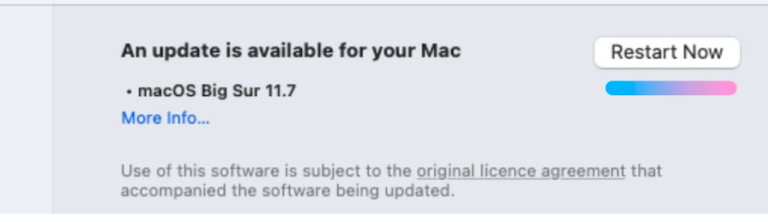
Once your Mac restarts with the latest update, try opening the App Store again. In most cases, a simple OS update can solve the problem.
Sometimes, the issue isn’t on your Mac at all. Apple’s servers might be down, making the App Store unavailable for everyone.

To check this:
In this case, you’ll just have to wait until Apple fixes the problem on their end.
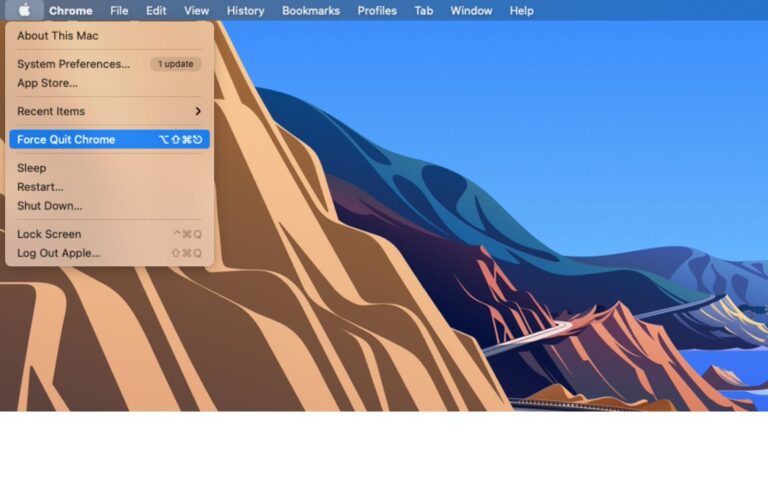
If the App Store is stuck or frozen, force quitting can refresh the application.
Here’s how to force quit:
After this, relaunch the App Store. Often, this quick fix is all you need to get things running again.
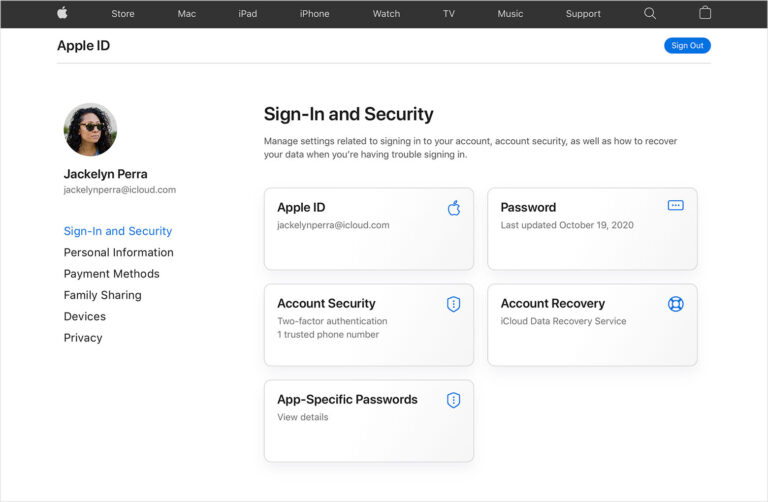
If none of the above solutions work, the issue might be linked to your Apple ID. Sometimes, signing out and back in can reset the connection between your Mac and Apple’s servers.
Follow these steps:
This method works for many users who face syncing or login-related issues with the App Store.
When the Mac App Store is not opening, it can feel frustrating, especially if you need to download an app urgently. But in most cases, the issue is temporary and can be fixed using the steps above:
If the problem still persists, it could be a deeper issue with your Mac. In that case, you may need professional help. Visiting a trusted MacBook Repair service can save you time and effort. For those in Delhi, the best mobile repair shop in Nehru Place is highly recommended for quick and reliable solutions.
Remember, your Mac is a long-term investment, and keeping it healthy ensures you get the best performance for years. Whether it’s an App Store issue or a hardware glitch, professional MacBook repair services can handle it all.
Copyright © Kushwaha Telecom. All Right Reserved.
Powered By 